

Apple Visual Design Enters a New WWDC Era
 Vortixel
15 minutes read
Vortixel
15 minutes read
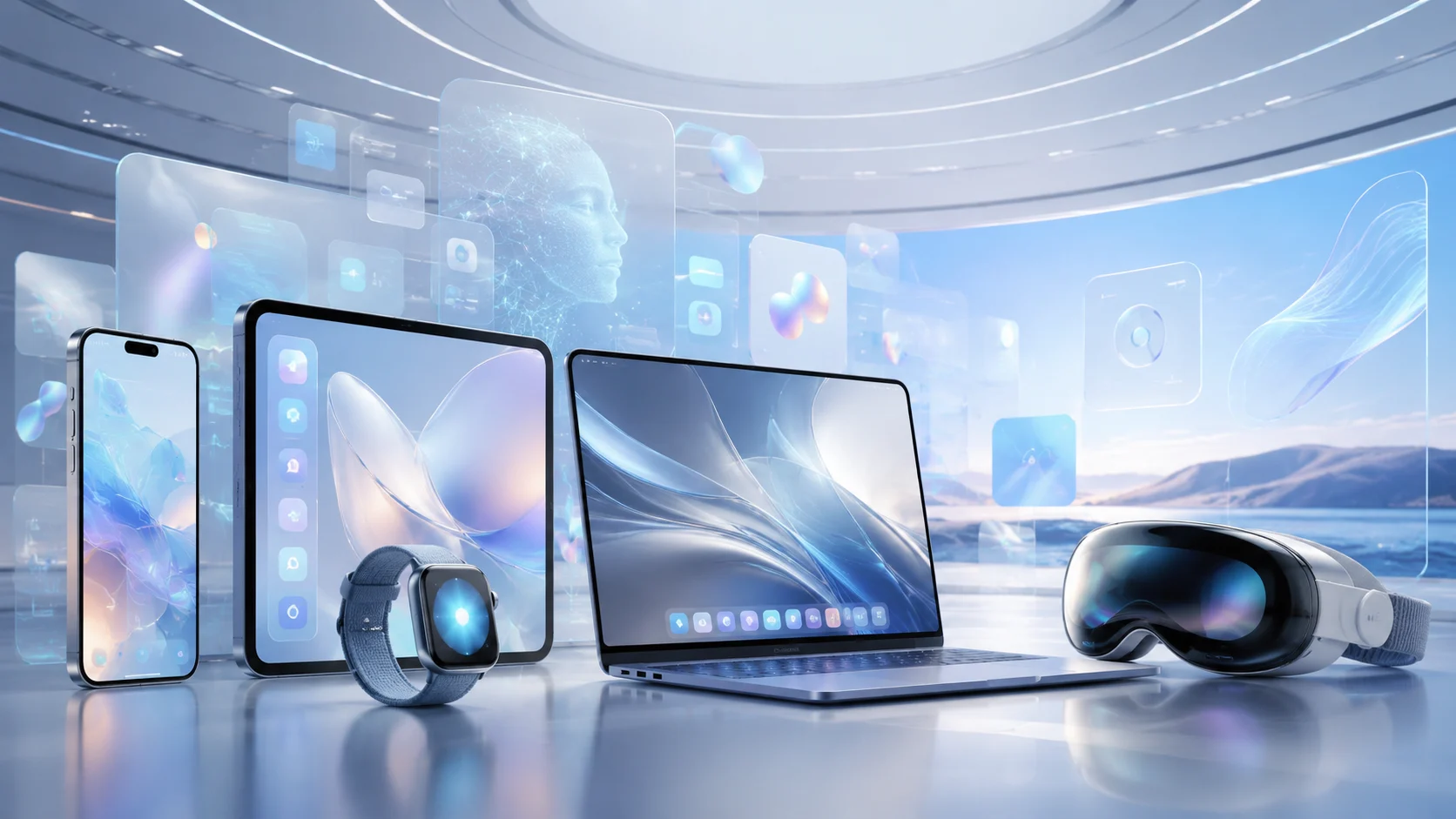
Apple visual design has always been more than a coat of polish on top of software, but WWDC 2026 feels like the moment when that idea becomes impossible to ignore. For years, Apple has trained users to read its interfaces almost like body language: a blur means depth, a rounded card means safety, a tiny animation means something is alive beneath the glass. This year, the conversation around Apple’s design direction is no longer just about prettier icons, smoother menus, or whether translucency looks cool on a lock screen. It is about how visual systems help people trust technology when artificial intelligence, spatial computing, and cross-device workflows are all becoming part of the same daily rhythm. That is why WWDC 2026 matters for designers, developers, creators, and anyone watching the future of digital experience take shape in real time.
The timing could not be more dramatic. Apple is facing a software era where every platform is expected to feel smarter, faster, and more personal without becoming visually chaotic. The company is also under pressure to prove that its AI strategy can feel native to the Apple ecosystem rather than bolted onto it. In that kind of environment, visual design becomes the handshake between ambition and usability. A smarter Siri, deeper Apple Intelligence features, and refined operating systems only matter if users can understand them without feeling like they are being thrown into a dashboard built for engineers. WWDC 2026 is not simply another developer conference; it is a public test of whether Apple can make the next generation of computing feel calm, beautiful, and emotionally readable.
Why Apple Visual Design Still Shapes the Industry
The power of Apple visual design comes from the fact that it rarely lives in isolation. When Apple changes the look of iOS, macOS, iPadOS, watchOS, or visionOS, the effect spreads far beyond Apple devices. App makers adjust their layouts, creative software companies rethink interface patterns, hardware brands copy subtle gestures, and even web designers begin borrowing the mood. This is because Apple has spent decades turning interface design into cultural design. People do not just use Apple software; they absorb its visual habits until those habits become expectations. When the system becomes more translucent, layered, spatial, or AI-aware, the rest of the digital world tends to react.
That influence is especially important in 2026 because users are dealing with more visual noise than ever. Apps compete through motion, notifications, generative content, short videos, widgets, live activities, AI assistants, and smart suggestions that appear before the user even asks. A messy interface can make all of that feel exhausting. A disciplined interface can make it feel magical. Apple’s challenge is to create visual rules that help AI feel like an assistant, not an interruption. The company’s design language has to organize complexity while still carrying the emotional softness that made its products feel friendly in the first place.
WWDC is the natural stage for that shift because it speaks directly to the people who will extend Apple’s design decisions into millions of apps. Developers do not just listen for new APIs; they watch for visual cues about where the ecosystem is moving. If Apple emphasizes fluid transitions, app makers will rethink motion. If Apple leans into glass-like surfaces, designers will adjust contrast and depth. If Apple introduces more AI-powered interactions, product teams will need to decide where intelligence appears on screen and where it should remain invisible. The keynote may last only a short time, but the design consequences can shape years of digital products.
A New Visual Language for an AI-First Apple
The biggest design question around WWDC 2026 is not whether Apple will talk about AI. The real question is how AI will look, move, and behave inside the interface. Artificial intelligence is often presented in the tech industry as a chat box, a glowing button, or a floating prompt field. Apple cannot rely on that visual cliché forever because its ecosystem is built around deep integration. If Apple Intelligence is meant to work across messages, photos, notes, health, maps, documents, creative tools, and system settings, then the visual design has to make intelligence feel ambient rather than invasive. That means the interface must signal when help is available without making the user feel watched or overwhelmed.
This is where Apple’s design heritage becomes useful. The company has always loved the idea that advanced technology should disappear into simple gestures. In the AI era, that philosophy becomes even more important. A redesigned Siri or smarter contextual assistant cannot feel like a separate app that interrupts everything else. It needs to feel like a layer of understanding built into the system itself. Visual indicators, subtle animation, soft transitions, and contextual panels may become the real language of Apple’s AI future. The most successful AI interface may not be the one that looks the most futuristic, but the one that looks the least stressful.
For creative professionals, this direction could be huge. Designers, editors, photographers, illustrators, and digital artists are already living inside tools that use AI for selection, cleanup, expansion, generation, and organization. The problem is that many AI features still feel visually disconnected from the creative process. They appear as pop-ups, commands, or experimental panels rather than natural parts of the workspace. If Apple pushes a cleaner design model for AI-assisted workflows, it could influence how creative software presents machine intelligence. The best design would not scream “AI feature”; it would simply make the next creative action easier to see, test, and refine.
The Return of Interface Emotion
One underrated part of Apple’s visual direction is emotion. The company’s strongest interfaces have never been purely functional. They carry a certain mood, whether it is the playful bounce of an icon, the softness of a notification, the cinematic rhythm of a transition, or the sense that a device is responding with intention. In a tech culture obsessed with speed and automation, that emotional layer can feel almost rebellious. WWDC 2026 arrives at a time when many digital products look efficient but emotionally empty. Apple’s opportunity is to remind the industry that useful software can still feel human, warm, and visually memorable.
This matters because AI can easily flatten personality. When every app starts offering summaries, suggestions, auto-generated images, and smart replies, interfaces risk becoming a sea of identical assistance. The brands that stand out will be the ones that make intelligence feel emotionally specific. Apple has the advantage of a design system that already uses motion, typography, spacing, haptics, and layered visuals to create feeling. The next step is making AI inherit that same emotional discipline. A suggestion should not feel like a random machine output; it should feel like part of the product’s personality. That is a design problem as much as a technical one.
The younger generation of users is especially sensitive to this. Gen Z and Gen Alpha grew up switching between TikTok, gaming interfaces, streaming platforms, creator tools, and social apps with extremely strong visual identities. They know when an interface feels lazy. They know when a brand is copying trends without understanding them. They also expect personalization, but they do not want every digital space to feel like a surveillance engine. Apple’s visual design challenge is to make personalization feel expressive rather than creepy. That balance could define how successful its AI features feel in everyday use.
From Flat Screens to Spatial Thinking
Another reason WWDC 2026 is important for Apple visual design is the continued influence of spatial computing. Even when users are not wearing a headset, the logic of spatial interfaces is starting to shape the look and behavior of traditional screens. Layers, depth, glass effects, floating cards, dimensional transitions, and context-aware surfaces all suggest that software is no longer trapped inside a flat rectangle. Apple has been preparing this shift for years through visionOS, but the broader impact is now spreading across the ecosystem. The future interface may not be fully immersive for everyone, but it will almost certainly be more spatial in the way it organizes information.
This shift has practical consequences for designers. A spatially influenced interface needs stronger hierarchy because depth can quickly become confusing. Transparency must be balanced with readability. Motion has to guide attention rather than decorate the screen. Shadows, blur, and layered panels must support meaning, not just aesthetics. If Apple refines its visual system at WWDC 2026, it will likely be judged on whether those details feel elegant or excessive. The difference between premium design and visual clutter often comes down to restraint.
For digital artists and visual storytellers, spatial design also opens new creative possibilities. Interfaces are becoming more cinematic, and software environments are starting to feel like scenes rather than static pages. A photo gallery can behave like a memory space. A design app can feel like a studio table. A video editor can guide focus through layered timelines and intelligent previews. Apple’s design direction could encourage creators to think beyond buttons and panels. It could push them to imagine digital experiences as environments with rhythm, atmosphere, and narrative flow.
What Developers Should Watch Closely
Developers watching WWDC 2026 should pay attention to more than the headline features. The real clues often live in the details of Apple’s design sessions, updated human interface guidance, system components, animation patterns, and platform demos. A new button style may reveal how Apple wants actions to feel. A redesigned settings panel may show how the company is handling dense information. A refreshed Siri surface may hint at the future of conversational UI. These details can tell developers where app design is heading before users consciously notice the shift.
The most practical move for app teams is to audit visual hierarchy early. If Apple leans further into layered surfaces and AI-driven suggestions, apps with weak contrast, messy spacing, or overloaded screens will feel older fast. Developers should review how their apps present primary actions, secondary actions, alerts, recommendations, and generated content. They should also think carefully about when an AI suggestion deserves visual emphasis and when it should stay quiet. The goal is not to chase every new design effect on day one. The goal is to understand the system logic and adapt in a way that feels native, stable, and useful.
- Review contrast and readability before adding more transparency or blur.
- Use motion with purpose so transitions guide users instead of distracting them.
- Keep AI suggestions contextual rather than turning every screen into a prompt box.
- Test layouts across devices because Apple’s ecosystem is increasingly cross-platform.
- Protect brand identity while still respecting Apple’s updated design patterns.
Those steps matter because users rarely reward design that feels forced. When an app copies Apple’s newest visual style without understanding why it exists, the result can feel cheap. When an app translates the new design language into its own product context, the result feels current without losing identity. This is especially important for independent developers and creative software teams that cannot afford to rebuild everything every year. A thoughtful update can do more than a dramatic redesign. The strongest apps after WWDC 2026 will likely be the ones that absorb Apple’s direction without becoming clones of the system interface.
The Impact on Creative Software
Creative software sits at the center of this design conversation because creators are some of the most demanding interface users in the world. They need power, precision, speed, and flexibility, but they also need visual calm. A cluttered creative app can slow down imagination. A beautifully organized one can make complex work feel possible. As Apple moves deeper into AI-assisted computing, creative software will have to decide how much intelligence should be visible on screen. The future will not be won by apps that add the most AI buttons. It will be won by apps that make AI feel like a natural extension of the creative hand.
Imagine a video editing workflow where the system quietly understands pacing, framing, audio balance, and color mood, but the editor still feels fully in control. Imagine a design tool that suggests layout variations without burying the canvas under panels. Imagine a photo app that offers intelligent cleanup, reframing, and extension through visual cues that feel light rather than aggressive. That is where Apple’s design philosophy could become influential again. By showing how intelligence can be presented with restraint, Apple can push the creative software industry toward calmer and more respectful AI interfaces. For a website like Design, that shift is not just technical news; it is a cultural change in how creativity meets machines.
The challenge is trust. Creators do not want tools that silently change their work without permission. They want suggestions they can understand, edit, reject, or build upon. Visual design plays a key role in that trust because it shows the relationship between human input and machine output. A clear preview, a reversible action, a visible history, and a transparent control surface can make AI feel collaborative. Without those design choices, even powerful AI features can feel risky. Apple’s influence could help normalize AI tools that respect authorship rather than hiding the process behind a mysterious button.
Visual Innovation Beyond the Keynote
The most interesting part of WWDC 2026 may not be one single announcement. It may be the way multiple design threads connect into a larger visual strategy. Apple is working in a world where phones, tablets, watches, laptops, headsets, services, and AI features must feel like one ecosystem without becoming visually identical. That requires a flexible design language rather than a rigid skin. A watch face cannot behave like a desktop window. A spatial app cannot behave like a phone app. An AI assistant cannot behave like a traditional settings menu. Yet users still need to feel that all of these experiences belong to the same universe.
This is where Apple’s design discipline becomes strategic. The company can use shared typography, motion principles, icon behavior, depth, spacing, and interaction rhythm to create continuity across radically different devices. That kind of continuity is more subtle than matching colors or copying shapes. It is about making the user feel oriented even when the context changes. A person should be able to move from iPhone to Mac to Apple Watch to Vision Pro without feeling like they have entered separate design worlds. WWDC 2026 is a chance for Apple to show whether its visual system can scale into that future.
For brands outside the Apple ecosystem, this is a lesson worth studying. Visual innovation does not always mean louder graphics or more experimental layouts. Sometimes it means creating a system that can adapt gracefully as technology changes. The strongest design systems are not the ones that look trendy in a launch video. They are the ones that remain useful when products become more complex. Apple’s best design moves have historically been quiet but durable. If WWDC 2026 continues that pattern, its influence will show up slowly in app interfaces, creative tools, startup products, entertainment platforms, and even web experiences over the next year.
Why This Matters for Visual Entertainment
Visual entertainment is also part of the story. Apple is not only designing productivity tools; it is shaping how people watch, play, edit, share, and interact with media. Streaming interfaces, game dashboards, music visuals, immersive video, creator platforms, and social media workflows all depend on visual clarity. As entertainment becomes more interactive and personalized, interface design becomes part of the content experience. The frame around the video, the way recommendations appear, the motion between screens, and the controls during playback all affect how premium the experience feels. Apple’s visual direction can raise expectations for the entire entertainment category.
This is especially relevant as AI-generated and AI-assisted media become more common. Users will need clearer signals about what they are seeing, how it was created, and what actions they can take with it. A platform that handles those signals poorly may feel confusing or untrustworthy. A platform that handles them elegantly can make new forms of media feel normal. Apple has the design vocabulary to make complex media interactions feel simple, but it must use that power carefully. Too much abstraction can hide important context. Too much explanation can break immersion. The best solution will likely sit somewhere between transparency and elegance.
A Practical Takeaway for Designers and Creators
The practical takeaway from WWDC 2026 is simple: design is becoming the main way users understand intelligence. In older software, people mostly judged design by whether they could find buttons, read text, and complete tasks. In the AI era, they will also judge whether the system feels respectful, explainable, and emotionally safe. This changes the designer’s job. It is no longer enough to make screens look clean. Designers must shape the relationship between user intention, machine suggestion, and final action. Every visual cue becomes part of that relationship.
Creators should also think about how Apple’s direction affects visual culture. If Apple pushes softer AI surfaces, spatial layering, stronger personalization, and more refined system motion, audiences may begin to expect those qualities everywhere. Websites may need cleaner transitions. Creator tools may need more intuitive AI controls. Digital art platforms may need better ways to display process and authorship. Brand identities may need to feel more adaptive across devices and media formats. The shift is not just about Apple users. It is about the visual standards that millions of people carry into every digital experience after using Apple products.
That does not mean every designer should blindly follow Apple. Some of the best digital experiences succeed because they reject the dominant style and create a different mood. But even rejection requires understanding. Knowing where Apple is moving helps designers decide when to align, when to adapt, and when to push against the trend. In 2026, the smartest creative teams will not treat WWDC as a list of features. They will treat it as a signal about user expectations. That signal can guide product updates, editorial visuals, creative software decisions, and brand systems long after the keynote ends.
Conclusion: Apple’s Next Design Test
WWDC 2026 is a design test as much as a technology event. Apple needs to prove that its software can become more intelligent without becoming visually messy, more personal without feeling invasive, and more spatial without losing clarity. That is a difficult balance, but it is exactly the kind of challenge that made Apple’s design culture influential in the first place. The next phase of Apple visual design will not be defined only by icons, gradients, glass effects, or animation polish. It will be defined by how well Apple turns complexity into confidence. If the company gets that right, WWDC 2026 could mark the beginning of a calmer, smarter, and more visually expressive era for digital creativity.
For designers, developers, artists, and visual thinkers, the message is clear. The future interface is not just a screen you tap; it is an intelligent visual environment that reacts, suggests, protects, and guides. Apple’s role is to make that environment feel less like a machine and more like a trusted creative space. Whether WWDC 2026 delivers every expected feature or not, the design direction around it already reveals where the industry is heading. The next wave of visual innovation will belong to products that understand both intelligence and emotion. That is why Apple’s design choices still matter, and why the world will keep watching every pixel.