
Figma AI Motion Tools Redefine Design Work
 Vortixel
18 minutes read
Vortixel
18 minutes read
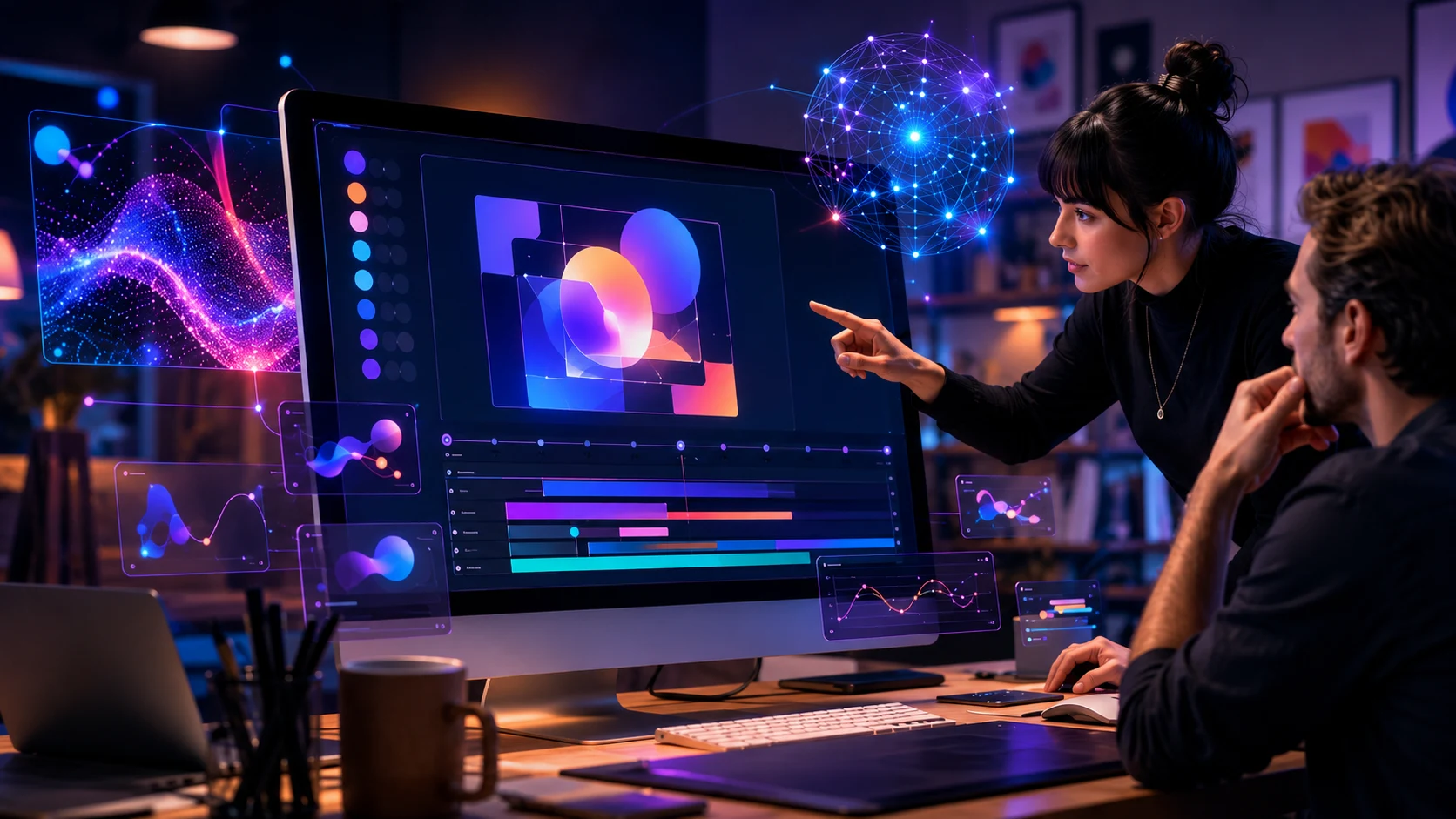
Figma AI motion tools are pushing design teams into a new chapter where static screens are no longer enough to explain what a product should feel like. For years, interface design has been built around frames, components, prototypes, and carefully written handoff notes that try to describe motion without actually making it easy to produce. Now Figma is moving deeper into animation, AI-assisted creative workflows, and code-connected design systems, giving teams a more expressive way to build digital products from the same canvas where they already collaborate. The shift matters because motion is no longer a “nice extra” reserved for polished brand campaigns or final-stage product launches. In modern product design, motion is part of usability, storytelling, feedback, trust, and the emotional layer that makes an app feel alive.
The bigger story is not just that Figma has added another shiny feature to an already popular design platform. The bigger story is that design software is starting to behave less like a silent workspace and more like a creative partner that can respond, generate, adjust, and connect ideas across teams. Designers can now imagine a transition, describe a visual effect, test an animation, and keep refining it without jumping between multiple specialized tools. Product managers, developers, brand designers, and marketers can also stay closer to the same source of truth instead of waiting for separate motion files or isolated prototypes. That is why this update feels less like a minor upgrade and more like a signal for where the creative software industry is heading next.
Why Figma AI Motion Tools Matter Now
Figma AI motion tools arrive at a moment when digital products are under pressure to become more visual, more interactive, and more emotionally clear. Users do not just judge apps by whether buttons work or pages load correctly anymore. They notice how a screen moves, how feedback appears, how transitions guide attention, and whether an interface feels smooth or confusing. A payment confirmation that gently resolves into a success state can feel more trustworthy than a cold page refresh. A dashboard that animates data clearly can help users understand change faster than a static chart that appears with no context.
Design teams have understood this for a long time, but the workflow has often been messy. Motion design usually requires extra tools, extra exports, extra files, and extra coordination between designers and developers. A product designer might sketch the flow in Figma, recreate the animation elsewhere, share a video preview, and then explain the timing curve to a developer in comments or documentation. That process can work, but it creates friction and makes motion feel expensive. When motion feels expensive, teams often skip it, simplify it, or leave it until the end when there is no time to make it meaningful.
Figma’s new AI-powered motion direction changes that equation by making animation feel more native to the design process. Instead of treating motion as a separate production layer, the tool brings it closer to the same place where layout, components, visual assets, and product decisions already live. Designers can explore more ideas earlier because the barrier to creating a first draft is lower. Developers can see intent more clearly because the movement exists inside the shared workspace rather than as a vague note. Creative leads can review the feeling of an experience before it reaches final implementation, which makes feedback sharper and less abstract.
This is also why the timing feels important for AI and visual technology more broadly. The industry has already seen AI tools generate images, write code, create videos, remove backgrounds, resize campaigns, and build rough apps from prompts. The next phase is not only about generating content faster. It is about making creative systems more connected, so a single idea can move from sketch to prototype to interactive experience without losing quality at every handoff. For a visual-first platform like Figma AI motion tools, that is a major strategic lane.
From Static Screens to Living Interfaces
For a long time, digital design was dominated by the screenshot mindset. Teams designed screens, arranged flows, linked frames, and used prototypes to simulate what a real product might do. That approach helped product teams collaborate at scale, but it still left a gap between how a design looked and how it behaved. Motion often sat in that gap, especially when teams needed expressive transitions, animated brand elements, or interface states that depended on timing. The new wave of AI-powered motion inside Figma suggests that the screenshot era is slowly giving way to something more alive.
A living interface is not just a page with decoration sprinkled on top. It is a system where movement helps users understand what just happened, where they are going, and what they should do next. A menu that slides from the right can make navigation feel spatial. A card that expands into a full page can help users understand continuity. A notification that fades in too aggressively can feel annoying, while one that enters with subtle timing can feel helpful. These details sound small, but they shape the emotional memory users build around a product.
AI motion tools make this kind of exploration more accessible because they allow designers to start with language instead of a blank timeline. A designer might describe a soft 3D transition, a liquid hover effect, a cinematic reveal, or a playful loading sequence. The first result may not be perfect, but it gives the team something to react to immediately. That matters because creative work often improves through iteration, not through waiting for a perfect first draft. The faster a team can make motion visible, the faster it can decide whether that motion actually serves the product.
This does not mean every product should suddenly become loud, animated, or visually overloaded. In fact, the best motion design is often subtle enough that users feel it before they consciously notice it. The value of AI here is not to flood interfaces with effects for the sake of looking futuristic. The value is to help teams test options quickly, remove production bottlenecks, and choose motion with more intention. When used well, AI can help designers spend less time fighting tooling and more time judging whether an interaction feels right.
How AI Changes the Design Team Workflow
The most interesting impact of Figma’s AI motion push is how it changes the rhythm of a design team. In a traditional workflow, designers create screens, motion designers polish movement, developers translate the experience into code, and product leaders review the result after several steps. Every handoff introduces interpretation, delay, and sometimes disagreement. If the animation is too slow, too heavy, or too hard to build, the team may only discover the problem late. That can create a loop of revisions that drains energy from the original idea.
With AI-assisted motion living closer to the design canvas, those conversations can happen earlier. A designer can bring a motion concept into a review while the product flow is still being shaped. A developer can ask whether the transition is essential or decorative before implementation begins. A brand lead can check whether the movement matches the identity of the product. A growth team can think about how animated visual assets might carry across landing pages, product tours, social previews, and campaign material.
This creates a more blended creative workflow where motion is not isolated from product thinking. It also supports the rise of generalist creative roles, where people are expected to understand design, content, interaction, code, and AI-assisted production at the same time. That does not mean specialists disappear. It means specialists can focus on higher-value judgment, systems, and polish while AI helps generate early directions and remove repetitive setup work. In that sense, the tool does not replace taste; it puts more pressure on taste to become visible.
For teams working at startup speed, this could be especially powerful. Small product teams often do not have a dedicated motion designer or a large design operations group. They may have one or two designers responsible for everything from research to interface polish to marketing visuals. AI motion features give those teams a way to prototype richer experiences without waiting for specialized resources. The result could be more polished early products, faster investor demos, stronger product storytelling, and better alignment between design intent and development reality.
The New Role of Motion in Product Storytelling
Motion has always been one of the quietest forms of storytelling in digital design. A strong transition can make a product feel premium before a user reads a single line of copy. A well-timed animation can explain hierarchy faster than a paragraph of instructions. A visual effect can make a brand feel playful, calm, technical, luxurious, or experimental. When teams gain easier access to motion, they also gain a stronger storytelling layer for every part of the product experience.
Think about onboarding, which is often the first emotional test for a new product. Static onboarding screens can explain features, but they rarely show momentum. Motion can turn a feature explanation into a small narrative where the user sees progress, cause, and effect. A finance app can animate money moving into categories to explain budgeting. A creative tool can animate layers snapping into place to show control. A health app can use calm motion to signal progress without making the experience feel stressful.
AI-assisted motion helps teams explore these storytelling options earlier in the product cycle. Instead of writing a note that says “make this transition feel smooth,” a designer can generate a few motion directions and compare them in context. One version might feel too playful for an enterprise product. Another might feel too stiff for a consumer app. A third might strike the balance between clarity and personality. That comparison is where design judgment becomes sharper.
This is also where visual innovation becomes practical rather than purely aesthetic. A product team does not need motion because motion is trendy. It needs motion when movement helps users understand, trust, remember, or enjoy the experience. Figma’s AI direction gives teams more chances to ask that question before shipping. The real win is not faster animation for its own sake, but better decisions about where animation belongs.
AI, Code Layers, and the Future of Handoff
The motion update becomes even more interesting when seen alongside Figma’s wider push toward code-connected workflows. Design tools used to sit mostly before development, while code editors handled the real product afterward. That separation has been shrinking for years as design systems, tokens, components, and developer modes become more advanced. Now AI is accelerating the collapse of that wall. Figma wants the design canvas to become a place where teams can design, animate, generate, inspect, and connect work more directly to production.
Code-connected features matter because motion is one of the hardest things to hand off accurately. A static design can show spacing, color, typography, and layout with relative clarity. Motion adds timing, easing, sequence, responsiveness, and performance concerns. If designers and developers do not share the same mental model, the final product may feel different from the prototype. Bringing motion, AI guidance, and code context closer together can reduce that translation problem.
This does not mean designers suddenly need to become full-time engineers. It means the tools are becoming more fluent in the language between design and development. A designer can define intent more clearly, while a developer can understand the structure behind that intent with less guesswork. AI can assist by generating early code directions, explaining possible implementations, or helping teams map design behavior to technical reality. The result is a workflow where fewer details are lost between creative concept and shipped interface.
For larger organizations, this could reshape design operations. Teams with mature design systems often struggle to keep brand, product, marketing, and engineering aligned across many squads. AI-assisted motion and code-aware design tools could help standardize interaction patterns without making everything feel generic. A design system might include approved motion behaviors, reusable transitions, and branded visual effects that teams can apply with less manual work. That would make motion part of the system rather than a scattered collection of one-off decisions.
What This Means for Creative Software
Figma’s move also says a lot about the future of creative software as a category. The old creative tool stack was fragmented by specialty. Designers used one app for interfaces, another for vector illustration, another for animation, another for video, another for handoff, and another for collaboration. That fragmentation made sense when each task required a separate technical workflow. But AI is making it easier for platforms to absorb adjacent tasks and turn them into prompt-assisted, editable features.
This creates a race to become the central creative operating system for teams. The winning platforms will not only generate impressive outputs. They will help teams organize work, preserve brand consistency, connect with code, respect permissions, support collaboration, and keep assets editable after AI creates them. That last part matters a lot. AI content that cannot be edited inside a real workflow often becomes a novelty. AI content that can be adjusted, reviewed, versioned, and shipped becomes production infrastructure.
Figma already has a strong advantage because many product teams live inside it every day. Adding AI motion tools to that environment makes the feature feel less like a separate experiment and more like an extension of the existing workflow. Designers do not need to move their files into a new platform just to test motion ideas. Reviewers do not need to learn a separate tool to give feedback. Developers do not need to chase disconnected exports to understand what the design team meant.
The competitive pressure will likely push other creative tools to become more integrated as well. Illustration platforms, video editors, web builders, and marketing design tools are all adding AI features at high speed. The difference will come down to whether those features are actually useful inside real team workflows. A flashy generation demo can attract attention for a week. A deeply connected feature that saves teams hours every sprint can change habits for years.
The Risk of More Motion Everywhere
Of course, easier motion creation also comes with a real risk. When tools make effects easier to generate, teams may be tempted to use motion everywhere, even when it does not improve the experience. The web already has enough examples of animations that slow pages, distract users, bury information, or make simple tasks feel dramatic for no reason. AI can amplify that problem if teams treat generated motion as automatically valuable. Good design still needs restraint.
The most important question for teams will be whether motion is serving the user or serving the designer’s excitement. A transition should clarify where something came from or where it is going. A loading animation should reduce anxiety, not create visual noise. A hover effect should support interaction, not turn every surface into a performance. A 3D reveal should match the product’s tone, not make a serious tool feel like a gaming trailer.
Accessibility also needs to stay at the center of this conversation. Some users are sensitive to motion, especially large movements, flashing effects, or aggressive transitions. Teams using AI-generated animation should still consider reduced-motion preferences, performance limits, readable contrast, and inclusive interaction patterns. AI can generate visual ideas quickly, but it does not automatically understand every human need. Designers still have to bring empathy, testing, and responsible judgment to the final decision.
This is why the best design teams will not use AI in creative software as a shortcut around craft. They will use it as a faster path toward more options, better conversations, and more thoughtful refinement. The weak version of this future is a web full of generic animated templates. The strong version is a design culture where teams can prototype richer experiences and still choose simplicity when simplicity is better. Figma’s tools can support either outcome, depending on how teams use them.
Practical Insights for Design Teams
For design teams, the smartest way to approach Figma’s AI motion tools is to start with product problems, not visual effects. Instead of asking what cool animation can be added, teams should ask where users feel confused, where transitions feel abrupt, and where feedback needs more clarity. That makes motion a tool for communication rather than decoration. A checkout flow, a file upload, a dashboard filter, or an onboarding step can all benefit from motion when movement explains state change. Starting from user need keeps the creative process grounded.
Teams should also build a small motion language before generating too many variations. That language can define how fast panels move, how success states appear, how errors behave, how cards expand, and how brand moments should feel. Once those rules exist, AI-generated motion becomes easier to evaluate. A result either matches the system or it does not. This helps teams avoid a chaotic product where every screen has a different animation personality.
Another practical move is to involve developers earlier in motion reviews. Even if AI makes animation easier to prototype, real products still have technical constraints. Performance, browser support, device limits, and implementation complexity matter. A motion idea that looks beautiful on a powerful laptop may feel heavy on a budget phone. Early collaboration helps teams decide which animations are worth building and which should be simplified before they become expensive.
Design leaders should also treat AI motion experiments as a learning opportunity for the whole team. Junior designers can use generated drafts to understand timing, hierarchy, and interaction patterns faster. Senior designers can focus on critique, taste, accessibility, and system-level consistency. Product managers can use motion prototypes to make feature reviews more concrete. Developers can use them to ask better implementation questions. When the whole team learns from the same visual artifact, alignment becomes easier.
Why Human Taste Becomes More Valuable
The rise of AI motion inside Figma does not make human designers less important. It changes what makes them valuable. When a tool can generate multiple animation directions from a prompt, the key skill becomes knowing which direction deserves to survive. That requires taste, context, empathy, cultural awareness, product understanding, and the ability to say no. AI can produce options, but it does not own the responsibility for the user experience.
Human taste is especially important because AI often learns from patterns that already exist. That can make it useful for speed, but risky for originality. If everyone prompts similar tools with similar requests, many products could start to feel visually similar. Designers who understand brand, audience, and emotional tone will be the ones who push beyond the average output. They will use AI as raw material, not as the final creative voice.
This is where design education may also shift. Instead of only teaching students how to operate software, schools and mentors will need to teach stronger creative judgment. Designers will need to explain why a motion choice works, not just how they made it. They will need to understand accessibility, performance, storytelling, and product strategy. The craft will move from manual execution alone toward direction, editing, and system thinking.
For professionals already in the field, this is a chance to level up rather than panic. Learning AI-assisted motion does not mean abandoning traditional design skills. It means expanding the creative toolkit and becoming faster at testing ideas. The designers who thrive will be the ones who combine speed with standards. They will know how to generate quickly, critique honestly, and polish carefully.
The Bigger Visual Technology Trend
Figma’s AI motion push fits into a larger trend across visual technology. AI image generation is becoming faster, AI video tools are becoming more controllable, game graphics are leaning into generative rendering, and creative platforms are racing to make advanced production feel more accessible. The line between designer, animator, developer, and content creator is getting blurrier. This does not mean every person will do every job at expert level. It means more people will be able to participate in visual creation earlier and more directly.
For businesses, that changes how creative output gets planned. A marketing team may want campaign visuals, animated product demos, interactive landing pages, and social assets to come from the same visual system. A product team may want interface motion, prototype behavior, and frontend implementation to stay connected. A startup may want to create investor-ready demos without hiring a full production studio. These needs all point toward tools that combine AI generation with collaborative editing and production readiness.
The future of visual work will likely be less about single-purpose tools and more about connected creative environments. Teams will expect ideas to move across formats with less friction. A product screen might become a prototype, a video demo, a campaign asset, and a live interface without being rebuilt from scratch every time. AI will help with translation between formats, but the best platforms will keep humans in control of direction and quality. That balance is where the real opportunity sits.
Figma is clearly trying to occupy that space by making its canvas more expressive and more connected. Motion, shader effects, code-aware workflows, and AI agents all point toward a future where design files are not just static documentation. They become active creative systems that can generate, adapt, and communicate across teams. For Visual Vortixel readers, this is the kind of shift worth watching closely. It touches artificial intelligence, digital art, creative software, product design, and the future of visual entertainment all at once.
Conclusion: Figma Is Turning Motion Into Teamwork
Figma AI motion tools show how fast the design world is moving from static collaboration toward more dynamic, AI-assisted creation. The update matters because motion has always been powerful, but it has not always been easy for everyday product teams to create, test, and ship. By bringing motion closer to the same workspace where teams already design and review products, Figma is making animation part of the conversation earlier. That could lead to interfaces that feel clearer, more polished, and more emotionally connected. It could also challenge teams to build stronger motion systems and better creative discipline.
The future will not belong to teams that simply add the most AI effects. It will belong to teams that understand when motion helps, when it distracts, and when a simple interaction is still the strongest choice. AI can speed up exploration, but human judgment still decides what belongs in the final product. Figma’s direction makes that judgment more visible because teams can now compare motion ideas faster and in context. That is where the tool becomes more than a feature and starts to become a new design habit.
For designers, developers, marketers, and creative leaders, this is a moment to pay attention. AI is not only changing how visuals are generated; it is changing how creative teams collaborate around movement, code, and product storytelling. Figma is betting that the next generation of design work will be more animated, more connected, and more conversational. If teams use these tools with intention, they can build digital experiences that feel more human rather than more automated. That is the real promise behind this new wave of AI-powered visual innovation.